
Revise smarter.
Remember longer.
Revisor turns your own notes and readings into organised folders, tag-based reading, answers from your material and mastery quizzes, so every hour of revision counts.
From a pile of notes to exam-ready in four steps
Paste your curriculum
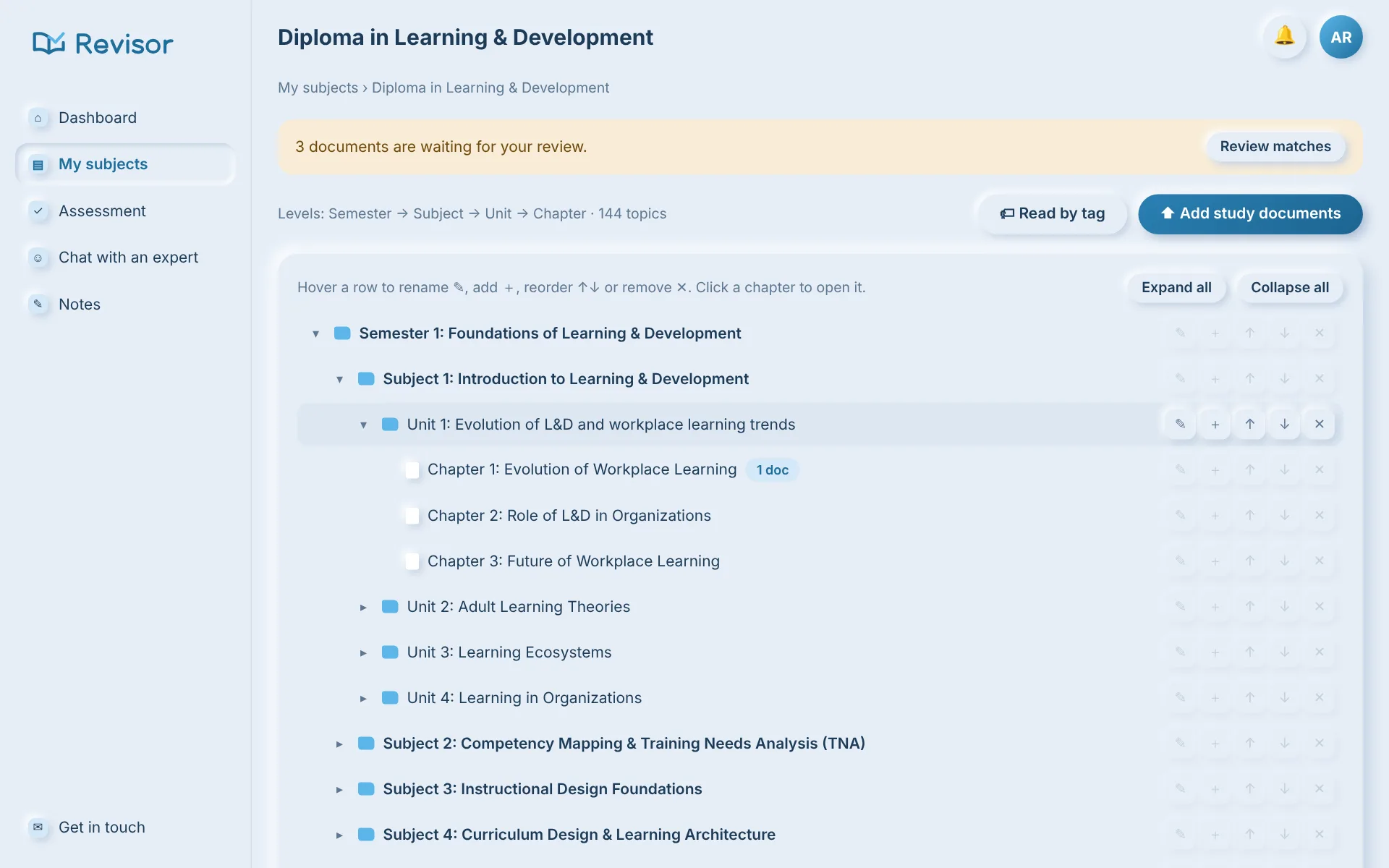
Revisor builds Semester › Subject › Unit › Chapter folders for you in seconds.
Upload your material
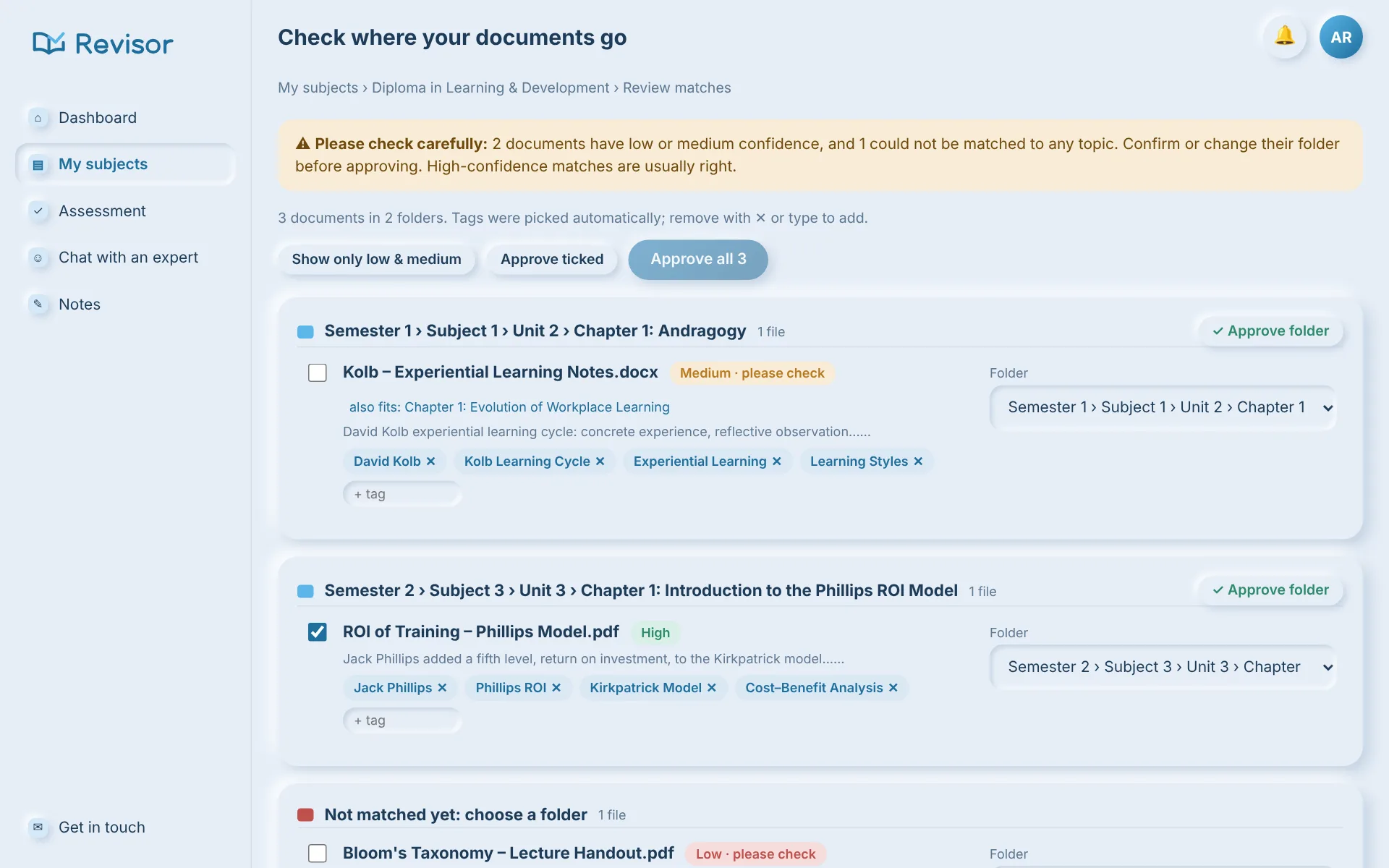
Drop in notes, PDFs, Word files and slides. Each file is matched to the right chapter and tagged with its scholars, theories and models.
Read, ask, simplify
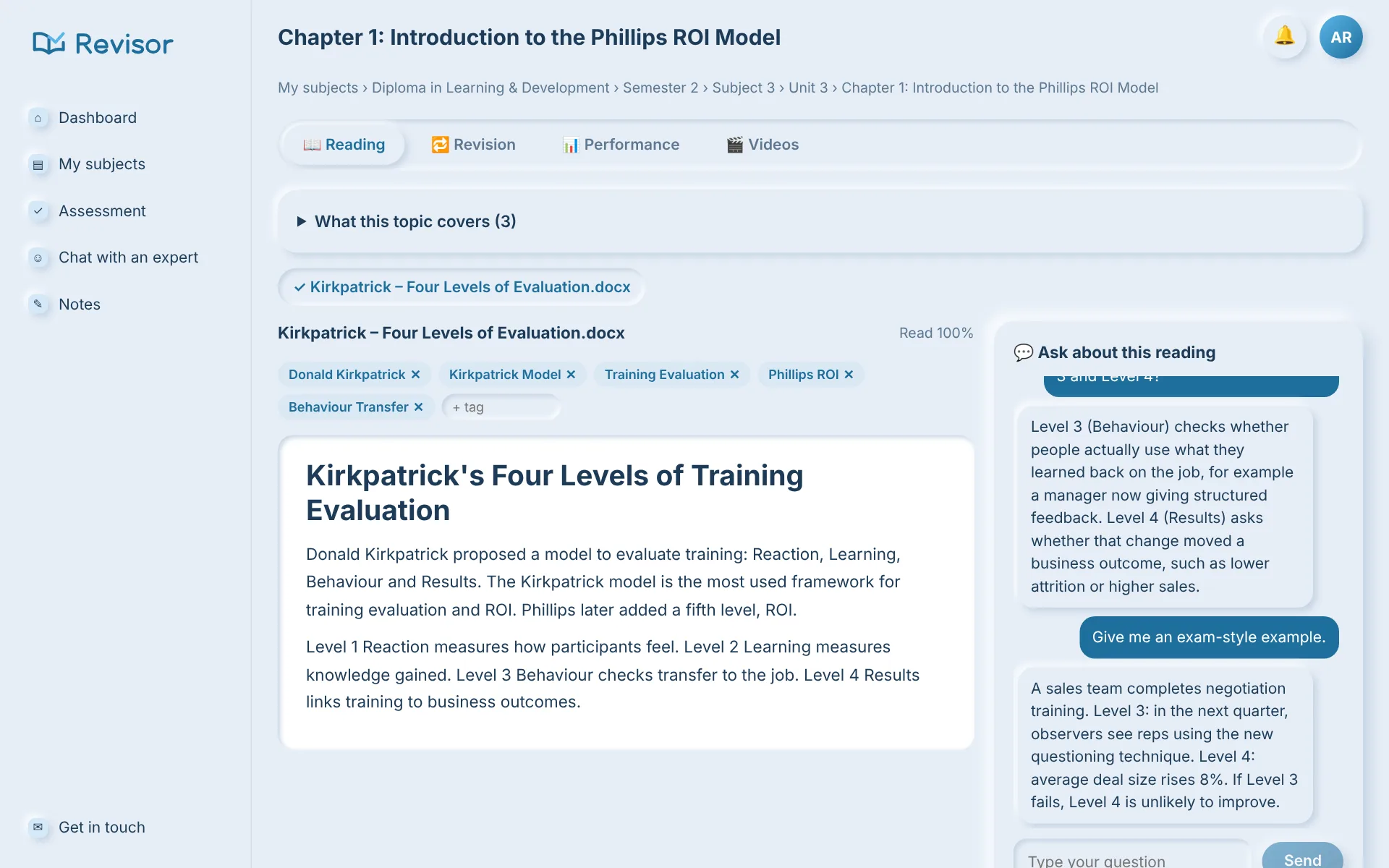
Read one file or a whole tag at once, ask questions that are answered from your own documents, and get hard ideas explained simply.
Test until you master it
Guided assessments go scholar by scholar. You move on only after 3 out of 3, with clear reasons for every miss.
Everything you need to revise, in one calm place
Your curriculum, organised
Folders that mirror your syllabus, with progress on every chapter.
Read by tag
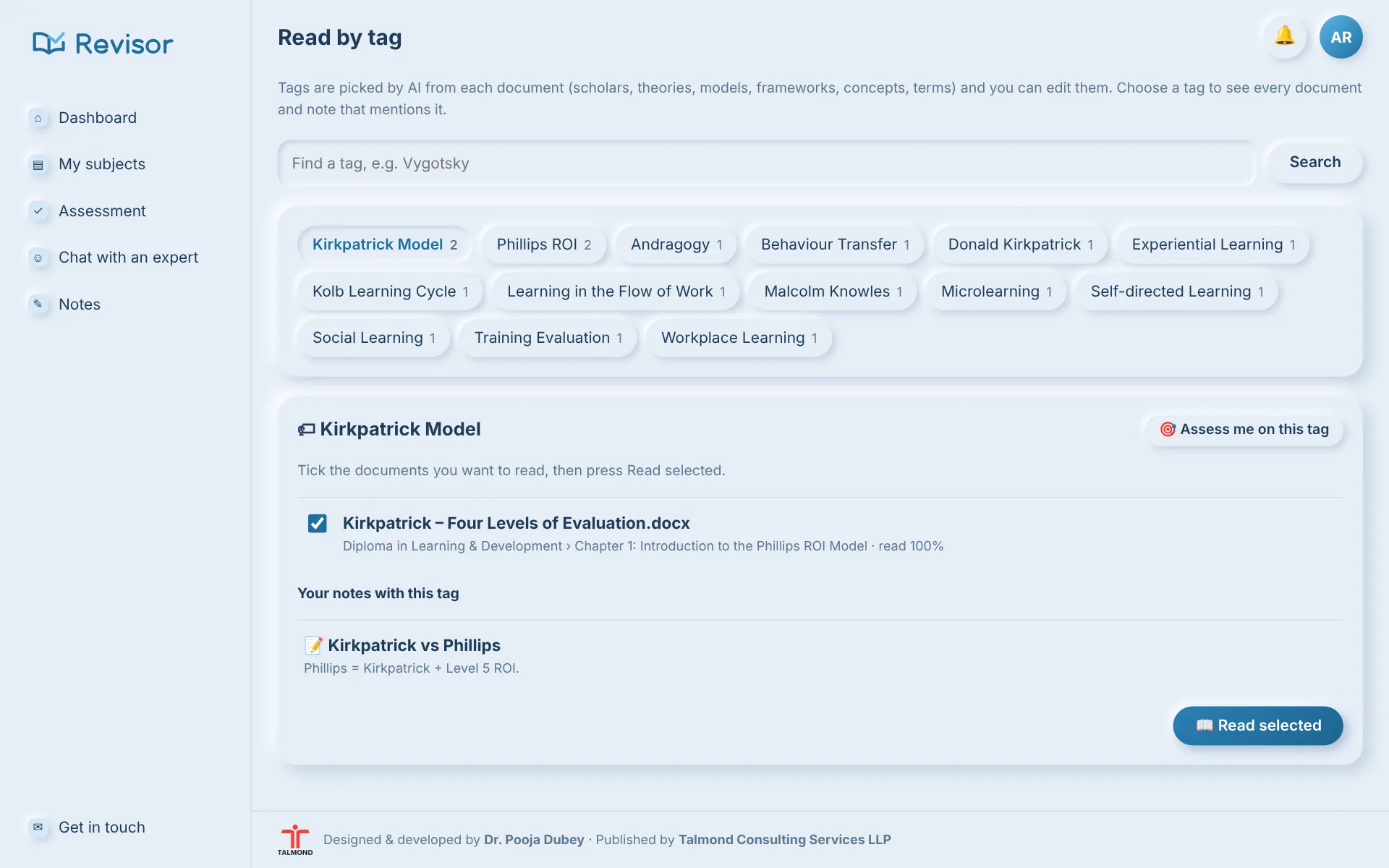
Open everything on “Wundt” or “Attention models” across all your files in one reader.
Answers from your notes
The reading chat quotes your own material, not the open internet.
Mastery quizzes
Hard MCQs with look-alike options from other theorists, so you learn to tell them apart.
Make it simple
Any passage re-explained in plain words, with an optional story illustration.
Chat with an expert
Talk an idea through, then save the answer to your tagged notes.
See it in action
Quizzes that test understanding, not memory tricks
Revisor takes you scholar by scholar. You get a short, dense overview, then three hard questions whose wrong options borrow real ideas from other theorists in your course. Miss one and you get a clear reason, then a fresh set, until you score 3 out of 3.
- Theories mode and Application mode with real-life scenarios
- Timed sessions of 15, 30, 45 or 60 minutes with a summary
- Built only from your own documents
Wilhelm Wundt — Voluntarism (1879)
Q2. What is the functional distinction between apprehension and apperception?
Excellent work! Now we move to Name & Theory #2: Titchener.
Simple packages. Pay less when you commit.
Take a 3, 6 or 12-month package for the lowest price, or go monthly with no commitment at a higher price. Prices are per month, before GST.
Essentials
For steady weekly revision of one or two subjects
₹3,894 for 6 months, paid up front
+ GST
- 15 reading questions a day
- 4 assessment sets a day
- 5 “Make it simple” explanations a day
- 10 expert chat messages a day
- 10 documents auto-matched and tagged a day
- 1 story illustrations a day
- 1 curriculum imports a day
Achiever
For a full semester of subjects and regular self-testing
₹7,794 for 6 months, paid up front
+ GST
- 40 reading questions a day
- 10 assessment sets a day
- 15 “Make it simple” explanations a day
- 30 expert chat messages a day
- 30 documents auto-matched and tagged a day
- 3 story illustrations a day
- 2 curriculum imports a day
Scholar
For exam season, research-heavy courses and daily practice
₹13,194 for 6 months, paid up front
+ GST
- 80 reading questions a day
- 20 assessment sets a day
- 30 “Make it simple” explanations a day
- 60 expert chat messages a day
- 60 documents auto-matched and tagged a day
- 6 story illustrations a day
- 4 curriculum imports a day
Every package includes
- Your curriculum turned into Semester › Subject › Unit › Chapter folders
- Bulk upload with AI matching and tags for scholars, theories and models
- Read by tag across all your documents and notes
- Reading chat that answers from your own material
- Chat with an expert, notes with tags, and progress tracking
Limits are per day and reset at midnight. Reading, folders, tags and notes are never limited.
Register, book a demo or ask us anything
Tell us a little about your studies. Our team replies within one working day with your login, a demo time, or an answer.
- Register: we confirm your package and send your login
- Get a demo: a 20-minute walk-through on your own subject
- Speak to our representative: help choosing a package
- Customer care: help with an existing account
From the Revisor blog
Short, practical reads on how to revise theory-heavy subjects.

She Passed the Exam. Why Couldn’t She Solve the Problem?
What cognitive load, memory and an eye-tracking experiment can tell us about India’s graduate skills gap, and how one redesigned module could help students use what they learn.
Read the article →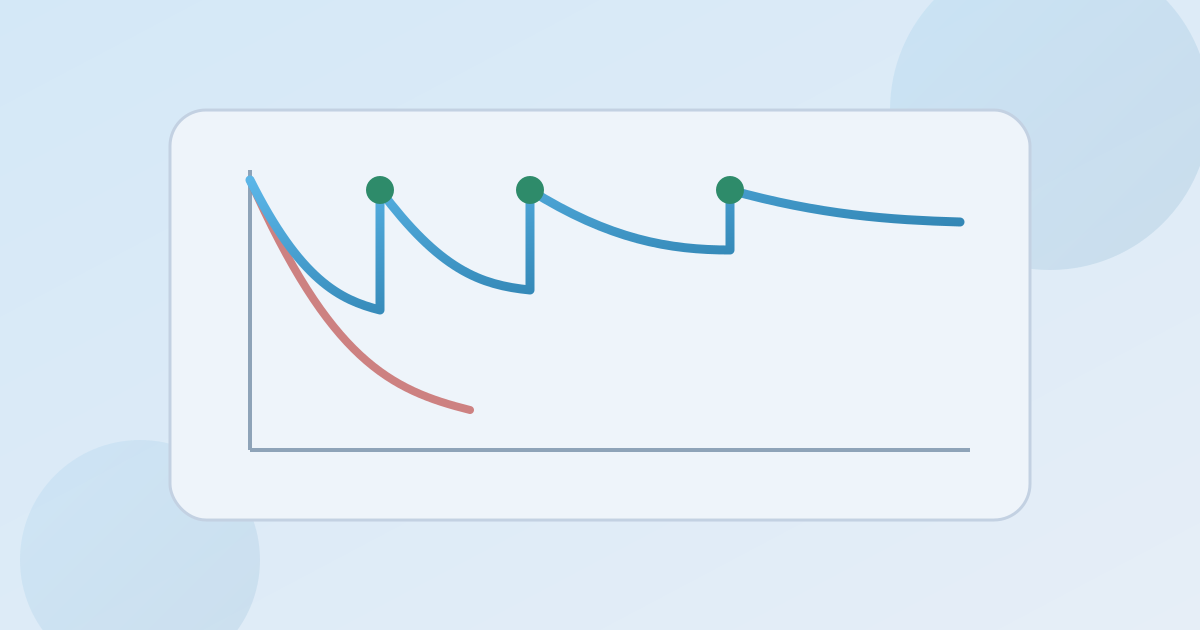
Why re-reading your notes fails, and what works instead
Re-reading feels productive but fades fast. Retrieval practice and spacing make theories stick for the exam. Here is how to use both in a week of revision.
Read the article →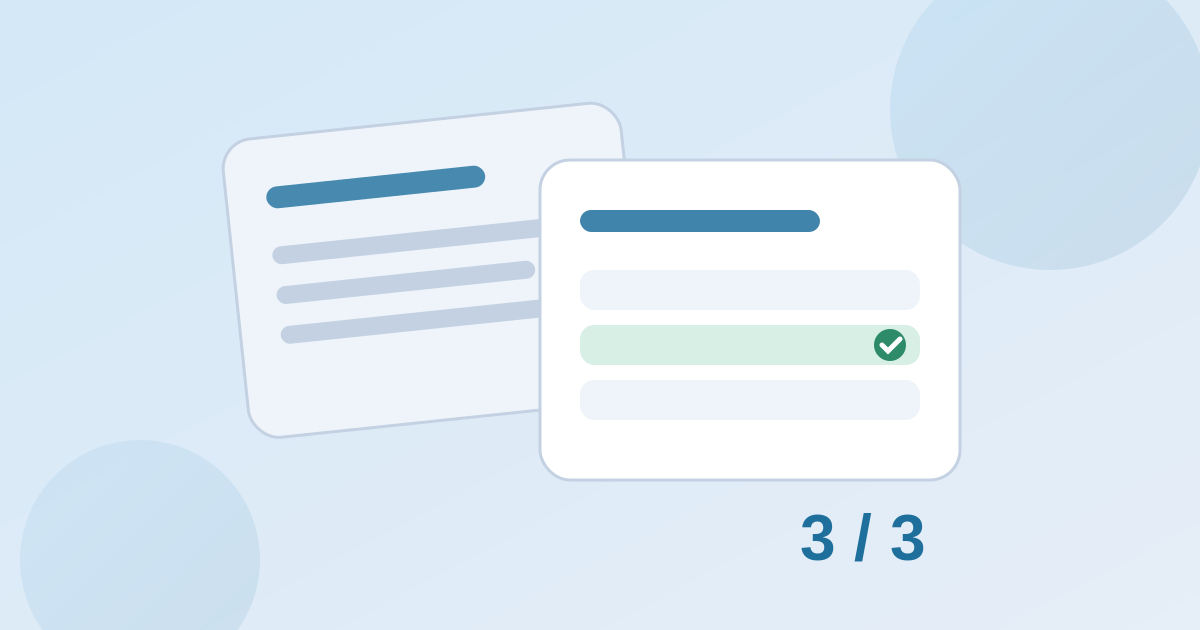
Telling theorists apart: the skill exams quietly test
Many wrong answers sound right because they belong to another theorist. Learn to separate look-alike ideas with comparison tables and look-alike distractors.
Read the article →Questions people ask
What is the difference between the monthly price and the package price?
Monthly has no commitment and you can stop any time, so it costs more. A 3, 6 or 12-month package is paid for the whole term up front and gives you a lower price per month. All prices are before GST.
What happens when I reach a daily limit?
Limits reset at midnight. Reading, folders, tags and your notes always keep working; only the AI features pause until the next day. You can move to a bigger package at any time.
Can I use my own notes and readings?
Yes, that is the point. Revisor works from the documents you upload: Word, PDF, PowerPoint, text and images.
Which subjects does it work for?
It was designed for theory-heavy courses such as psychology, education, management and the social sciences, but it works for any subject where you need to remember scholars, models and concepts.
How do I get my login?
Send the form below with “Register”. Our team confirms your package and sends you a user ID and password. You set your own password on first login.